
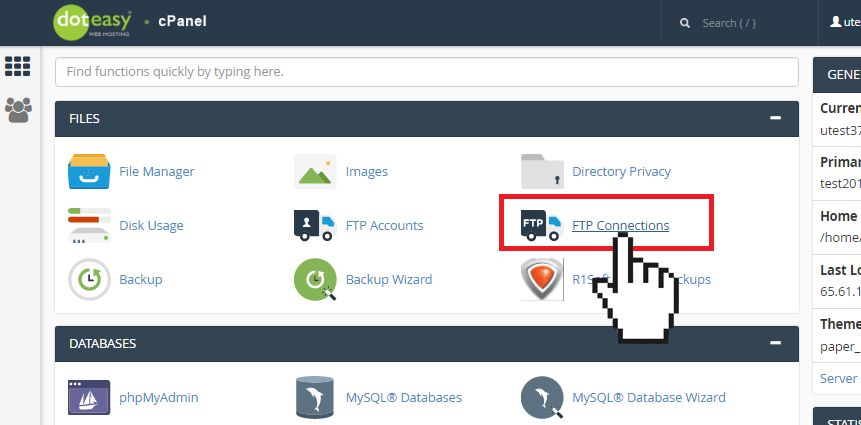
- Click on FTP Connections in the Files section in cPanel.
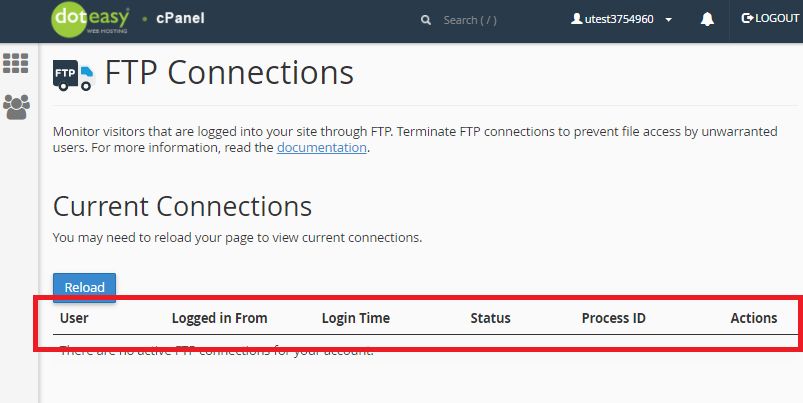
- The interface includes the following information about connections to your FTP server:
| Column | Description |
|---|---|
| User | the username for the authenticated FTP account (ie. the username used to log into your FTP account) |
| Logged In From | the host through which the user connected to your FTP server (ie. the IP address of the user's device) |
| Login Time | the FTP session's start time and date |
| Status | the FTP session's status (ie. Idle) |
| Process ID | the FTP session's process ID |
| Actions | allows you to take action/manage the FTP session (ie. Disconnect) |